Onboarding
Connecting to ITS is not only a technical job. Before anyone touches a system, the Secretariat records that your country takes part and creates your organisation. Only then does your own team have anything to do.
This section follows that whole sequence in order. Get started explains what ITS is and who calls it; the Guides explain how to build against the API once you are connected. This is the part in between.
The nine steps
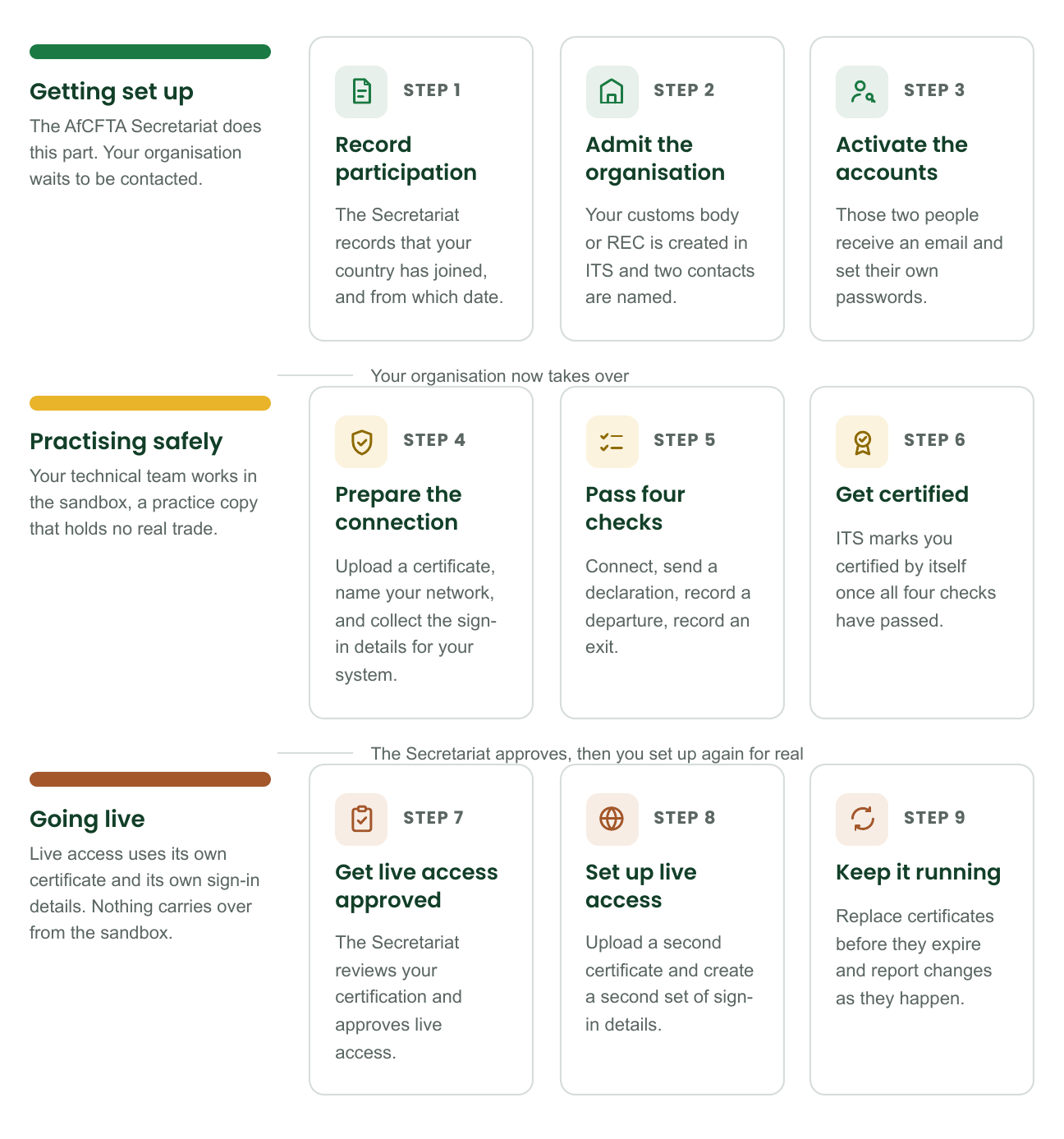
Your organisation does nothing for the first three steps. If you are waiting to hear anything at all, you are waiting on the Secretariat.
Who does what
The work crosses from the Secretariat to your organisation exactly once, after your organisation has been created and your two contacts have been named. Everything before that point is out of your hands. Everything after it is yours.
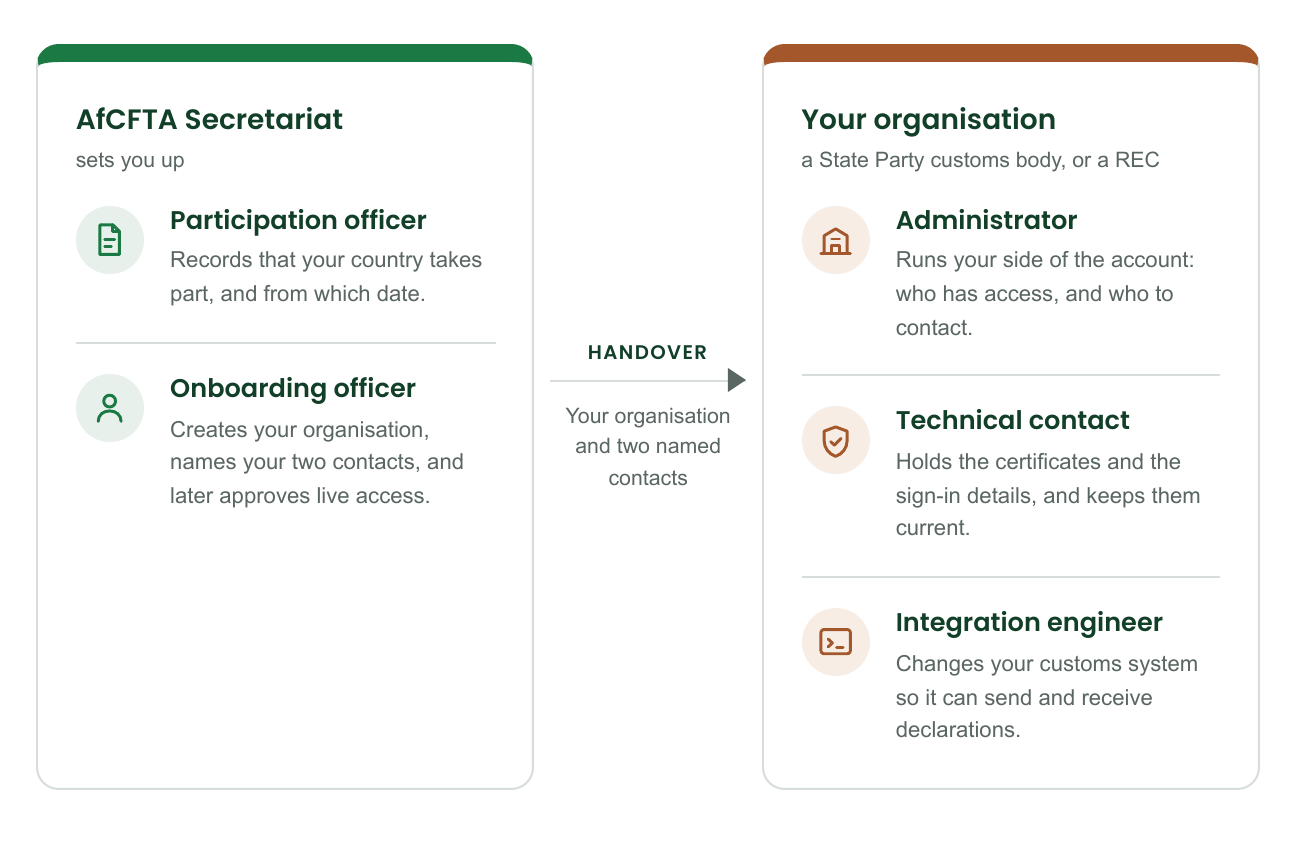
One person may hold more than one of the three roles on your side. Record both assignments anyway: every action in ITS is recorded against the person who took it, and a shared account makes that record useless.
What to have ready
Four things have to be settled before the Secretariat can start. None of them is technical.
| What | Why it is needed |
|---|---|
| The decision that your country takes part | ITS records this decision; it does not make it. The Secretariat needs the date it applies from, and whether it ends on a known date. |
| Who may file on your behalf | If a REC will lodge declarations for your country, that is recorded separately from participation, with its own dates. If your customs body files for itself, there is nothing to record. |
| The organisation's legal name | The customs body or REC that will hold the account. It appears on every declaration the account files. |
| Two people, with work email addresses | An administrator and a technical contact. They can be the same person. Use addresses that will still exist in a year: certificate expiry warnings go to them. |
Keeping credentials safe
Three rules matter more than the rest, and each one has cost somebody time.
- A client secret is shown once. When ITS creates a credential, it displays the secret a single time and never again. Store it before you close the page. If you lose it, nobody can look it up — you rotate the credential instead, which is in Keep access working.
- The private half of a certificate never leaves your organisation. You register the public half with ITS. If you are ever asked to send the private half or a password by email, the request is wrong, whoever it appears to come from.
- Sandbox and production are kept apart on purpose. Separate certificates, separate credentials, separate addresses. A sandbox certificate on a production address does not work, and that is the point.
When you report a problem, describe what happened and which organisation and role it concerns. Never paste a password, a secret, a private key or an access token into an email, a ticket or a screenshot.