Admit the organisation
Who does this: the onboarding officer at the AfCFTA Secretariat.
Admission does three things. It creates the organisation in ITS and marks it ADMITTED. It records two people against it, an administrator and a technical contact. And it starts the handover that lets those two people sign in.
It does not produce a certificate, credentials for your system, or production access. Those come later, and they are deliberately separate: an admitted organisation that has not proved anything yet cannot reach real trade.
Create the organisation
Before you start, the country or community needs a participation record that is active today, and you need the names and work email addresses of the two contacts.
- Open System integration and choose Onboard State Party/REC.
- Search the registry by name or code and select the organisation. The panel on the right then says what onboarding this particular organisation will do.
- Fill in the technical contact and the administrator. Both need a first name, a last name and a work email address.
- Review the whole form, then submit.
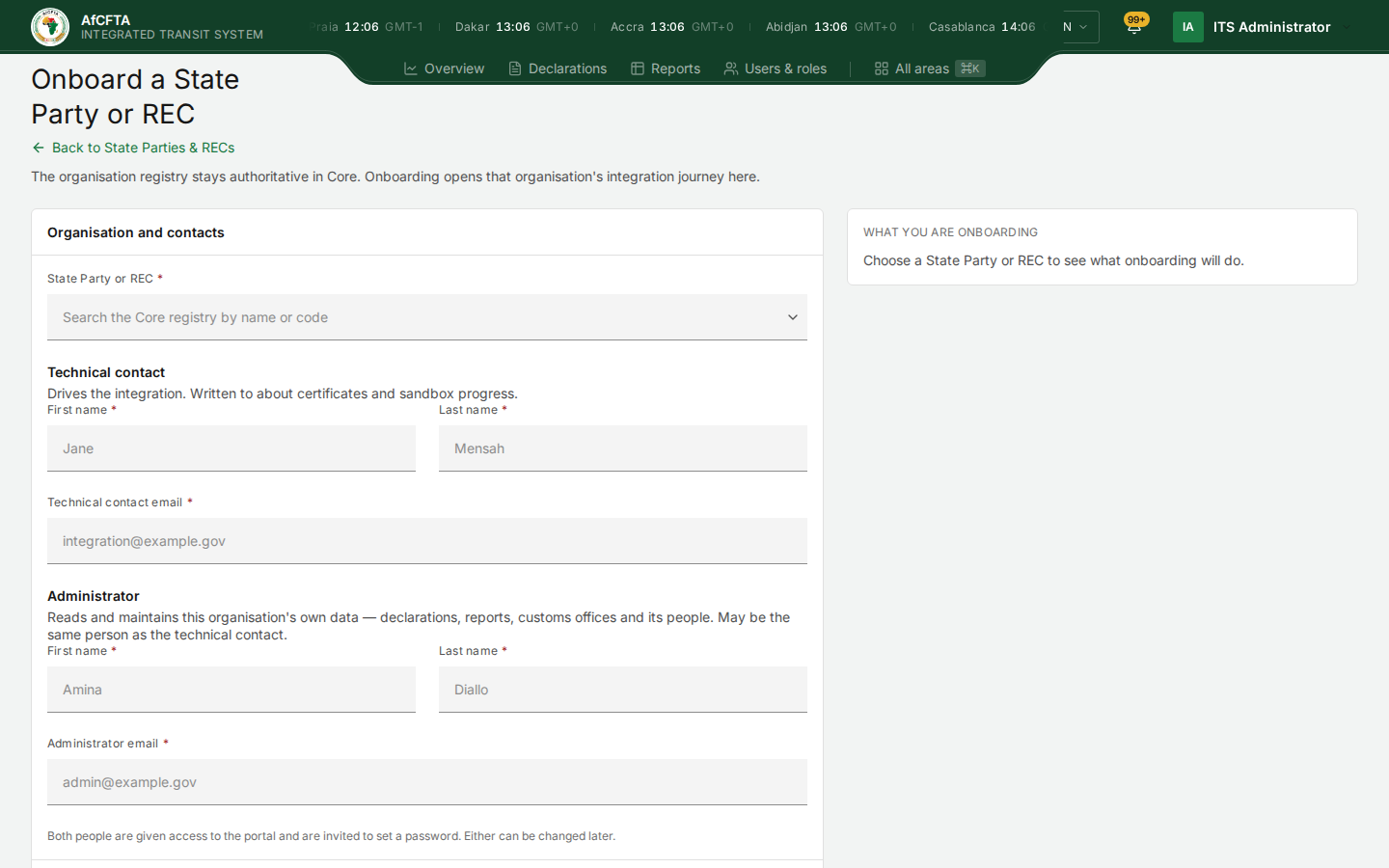
The form says what each role does beneath its heading: the technical contact drives the integration and is written to about certificates and sandbox progress; the administrator reads and maintains the organisation's own data. The greyed values are the form's own placeholders.
It worked when the organisation appears in the partners list with the state Admitted and the technical contact you entered.
If the submission is interrupted and you never see a result, search the partners list before submitting the form again. Submitting twice because the first response was lost is how duplicate records get made.
Name the administrator and the technical contact
The two roles do different jobs, and the form says so beneath each heading: the technical contact drives the integration and is written to about certificates and sandbox progress; the administrator reads and maintains the organisation's own data.
Fill in both roles explicitly, even when one person holds both. Recording the same person twice is correct and supported. Leaving a role blank because "it is the same person" is not, and it leaves a gap that surfaces much later as a missing email nobody can explain.
Use work addresses that will still exist in a year. These are where certificate expiry warnings go, and a warning that arrives at a dead mailbox is the same as no warning at all.
If a role is missing or was given to the wrong person, stop before the accounts are activated and have the assignment repaired. Do not work around it by sharing one account: every action in ITS is recorded against the person who took it.
Check the result without relying on email
The most common false alarm in onboarding is a partner reporting that admission failed when only the email was slow.
- Confirm the organisation is listed and shows Admitted.
- Confirm both contacts are recorded against it.
- When the partner signs in, confirm they see their own organisation and only the parts of ITS their role allows.
Those three things are the proof.
A missing email does not mean admission failed. The record is the evidence; the mailbox is a separate question with a separate fix. If the record is right and the message has not arrived, go to Activate the accounts — do not admit the organisation again.
Watching progress afterwards
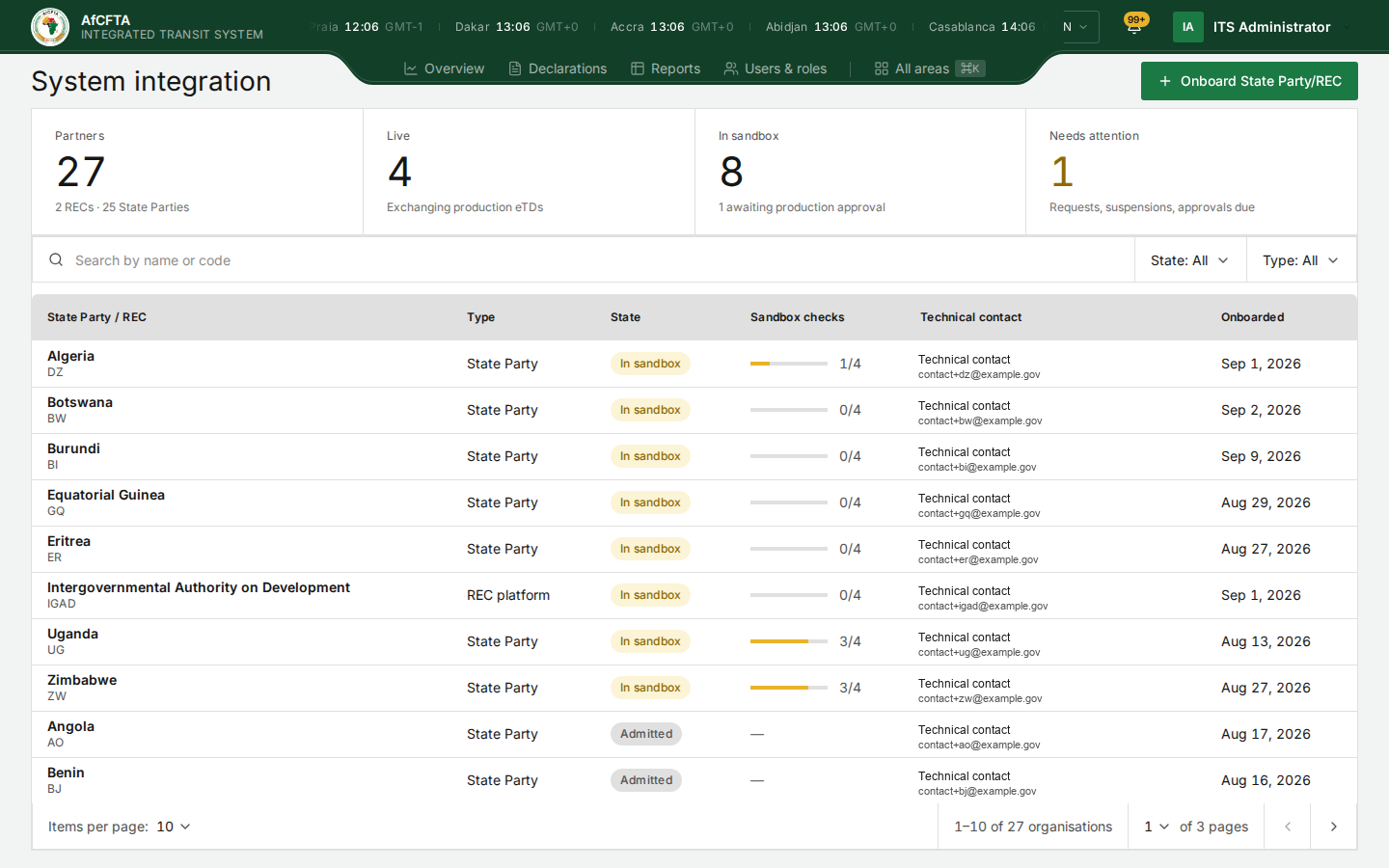
The partners list carries a Sandbox checks column. It counts from 0/4 to 4/4 as the four checks in Pass the four checks pass, and it moves on its own as requests arrive. Nobody updates it by hand.