Keep access working
Who does this: your technical contact, except where the Secretariat is named.
Certificates expire, people move on, and networks change. None of that has to interrupt anything, provided somebody is watching the dates.
What each change does, and does not do
These eight operations get confused with one another, and the confusion is expensive. The right-hand column is the one to read.
| Change | What it does | What it does not do |
|---|---|---|
| Replace a certificate | Adds a new one while the current one keeps working. | It does not retire the old one. That is a separate act. |
| Retire a certificate | Stops that certificate authenticating anything new. | It does not upload a replacement, and it cannot be undone. |
| Rotate a credential | Issues a new secret and kills the old one at once. | It does not recover the old secret, and nothing else can either. |
| Declare a network | Records where your calls are expected to come from. | It does not open the gateway. Ask for that separately. |
| Approve a receiving address | Lets one declared address receive messages. | Declaring an address is not approving it. |
| Suspend an organisation | Disables machine access while people can still sign in. | It does not end the relationship or delete anything. |
| Withdraw an integration | Closes the account permanently, read-only. | It does not withdraw the country's participation. |
| Withdraw participation | Closes the governance record. | It does not close the account. That is a separate decision. |
Replace a certificate before it expires
ITS warns you as the expiry date approaches, with the subject AfCFTA ITS certificate expires in n days. That message is a prompt to plan the replacement. It is not evidence that anything has been done.
- Check which environment the warning is about, sandbox or production, and note the expiry date.
- Upload the replacement for that same environment. The current certificate keeps working throughout, so there is no outage in doing this.
- Check the new fingerprint and validity dates.
- Point your client at the new certificate and make one real call with it.
It worked when a call succeeds using the new certificate, with the old one still in place. Now, and only now, retire the old one.
If the replacement is refused or the test fails, keep the current certificate exactly where it is and fix the replacement. Do not retire anything while you have only one working certificate.
Retire the old certificate
Retiring is separate, deliberate and irreversible for that certificate.
If you retire the wrong one and have nothing left that works, your system stops immediately. The recovery is to upload and test a new certificate — there is no un-retire. This is the reason for the order above.
When a secret is lost
Nobody can retrieve it. Not the Secretariat, not support, not the people who run ITS. Do not ask, and be suspicious of anyone who offers.
- Check you are in the right environment. Rotating the production credential when you meant the sandbox one is an outage you caused yourself.
- Rotate the credential.
- Store the new secret immediately. It is shown once, exactly as before.
- Update your system, then get a fresh token to confirm it works.
Rotation kills the old secret at once. Anything still using it stops working the moment you rotate. Do it when you can update your system straight away, not at the end of the day.
Change a contact
The Secretariat does this. Change one role at a time, and check each one afterwards. If somebody is leaving, do it before they go, not after their mailbox is closed.
If the new person cannot sign in, repair the existing identity rather than creating a second one. Two identities for one person is a problem that grows.
Change the network you call from
There is no edit and no delete here: you add a new declaration and the old ones stay as history. That is deliberate, so the record of where your traffic came from stays readable.
- Add a declaration for the new network.
- Ask the Secretariat for the matching gateway change. This is a separate request, and without it nothing changes at the gateway.
- Wait for confirmation, then test.
If calls still fail afterwards, check what address your traffic actually leaves from. It is frequently not the one people expect, especially where a proxy or a NAT gateway sits in the path.
Suspension and restoring access
The Secretariat does this. Suspension stops your system, not your people: machine credentials and calls are disabled, while signing in to look at the account and work out what happened still works. That is deliberate, because an organisation that has just been suspended needs to be able to see why.
Restoring puts the organisation back to the state it was in before. Gateway trust takes a little while to catch up afterwards, so do not treat the first refused call after restoration as a new fault.
If the suspension was because a secret was exposed, rotate the credentials after restoration, not before. Restoring first means you rotate into a working account rather than a disabled one.
Ending an integration
Two different things can be ended, and they are not the same.
Withdrawing the integration closes the account. The record stays, read-only, and there is no way back — a country returning later needs a new organisation. The country's participation is untouched.
Withdrawing participation or a filing arrangement closes the governance record described in Record participation. Declarations are refused from then on until a new dated arrangement exists. The account itself is untouched.
If membership saves but the delegation does not, that is a half-completed change and it should be reported as one. Do not assume nothing happened.
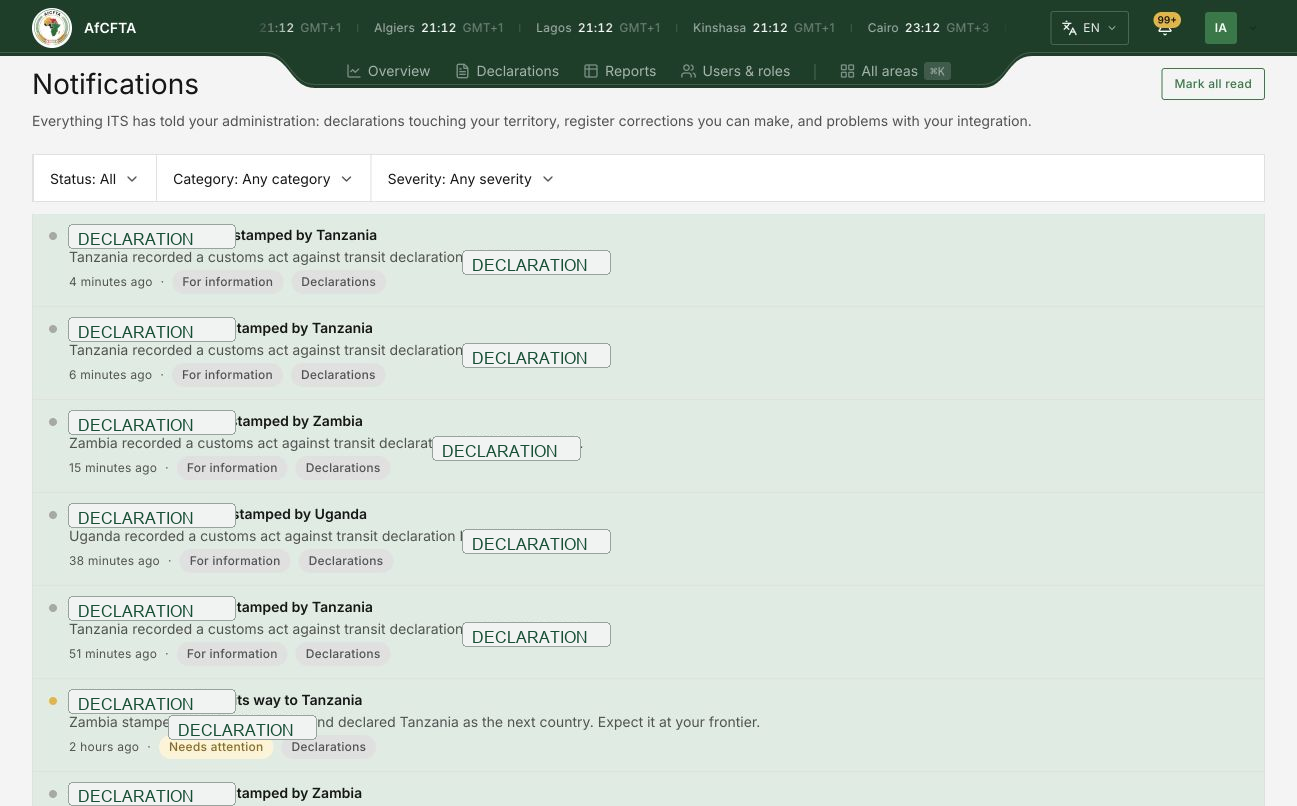
Expiry warnings and integration problems arrive here alongside routine declaration movement. Filter by severity when you are looking for something wrong, or the routine traffic will bury it.